
Cybersecurity software helps protect computers, networks, applications, identities, and data from digital threats. As organizations increasingly depend on cloud services, connected devices, remote work, and online systems, security software has become an important part of modern IT infrastructure.
But cybersecurity software is not one single type of product. It includes everything from antivirus and endpoint protection to firewalls, identity management, security monitoring, vulnerability scanning, and cloud security platforms. Understanding these categories can help businesses and individuals choose the right protection for their specific risks.
What Is Cybersecurity Software?
Cybersecurity software refers to applications and platforms designed to prevent, detect, investigate, and respond to security threats.
Depending on the product, cybersecurity software may protect:
- Computers and mobile devices
- Business networks
- Cloud environments
- Applications
- User accounts
- Sensitive information
- Email systems
- Servers
- Network-connected devices
Some security products focus primarily on prevention, while others specialize in monitoring, detection, investigation, access control, or incident response.
For example, antivirus software can detect malicious files, while a security information and event management platform can collect and analyze security events from multiple systems.
This means cybersecurity software usually works as part of a broader security strategy rather than as a single solution that protects everything.
How Does Cybersecurity Software Work?
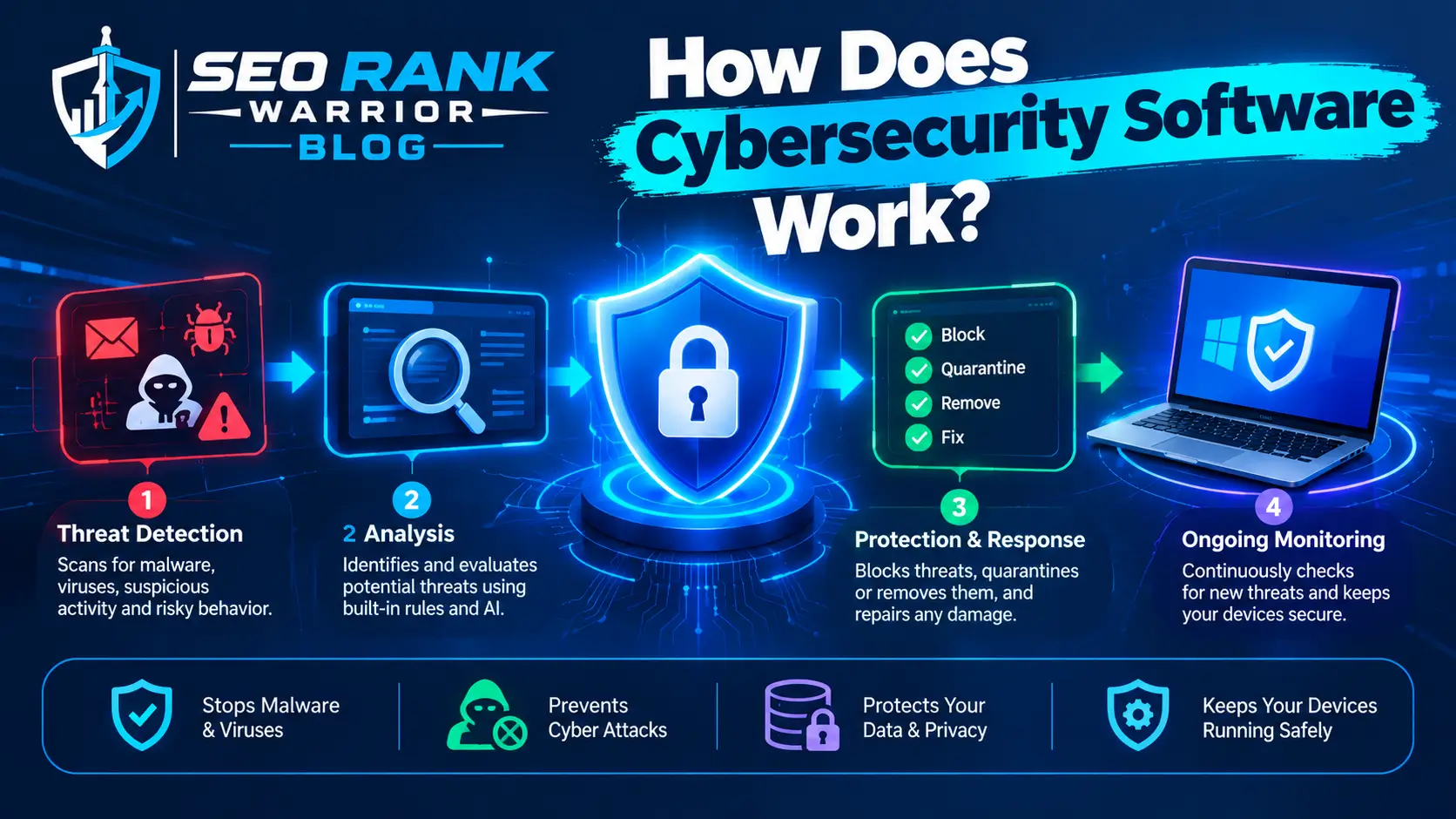
Different security products work in different ways, but most cybersecurity software follows a combination of prevention, detection, monitoring, and response.
Threat Prevention
Security software can block known malicious files, suspicious connections, unauthorized access attempts, or potentially dangerous activity before it causes damage.
Prevention technologies may use signatures, security policies, reputation databases, behavioral analysis, or other detection techniques.
Threat Detection
Modern security software can look for unusual or suspicious behavior.
For example, an endpoint security platform might identify a process behaving differently from normal applications. Network security software may detect unusual traffic patterns.
Behavior-based detection is particularly useful for identifying threats that do not match a simple list of previously known malware.
Security Monitoring
Security monitoring software collects information about systems, users, applications, and network activity.
Security teams can use this information to identify unusual events and investigate potential incidents.
Alerts and Investigation
When suspicious activity is detected, security software can generate alerts.
Depending on the platform, alerts may contain information about:
- The affected device
- User account
- Source of the activity
- Type of threat
- Time of the event
- Severity
- Related security events
Security professionals can then investigate and determine whether the alert represents a genuine threat.
Automated Response
Some cybersecurity platforms can automatically isolate devices, block connections, disable accounts, or take other predefined actions.
Automation can reduce response time, particularly when security teams are dealing with large numbers of alerts.
Types of Cybersecurity Software
The cybersecurity market includes many categories of software because organizations face different types of security risks.
1. Antivirus and Anti-Malware Software
Antivirus and anti-malware products protect devices against malicious software such as:
- Viruses
- Trojans
- Ransomware
- Spyware
- Worms
- Other malicious programs
Modern endpoint protection is generally broader than traditional antivirus because it can use behavioral monitoring and other techniques to detect suspicious activity.
2. Endpoint Security Software
Endpoint security protects devices such as laptops, desktops, servers, and other endpoints.
Enterprise endpoint platforms may provide features such as malware protection, behavioral detection, device monitoring, threat investigation, and response capabilities.
Endpoint security is particularly important because compromised devices can become an entry point into an organization’s wider environment.
3. Firewall Software
Firewall software controls network traffic according to defined security rules.
A firewall can allow legitimate traffic while blocking unauthorized connections.
Firewalls can be deployed on individual devices, servers, networks, or cloud environments depending on the organization’s architecture.
4. Network Security Software
Network security software monitors and protects network traffic and infrastructure.
It may include capabilities such as:
- Intrusion detection
- Intrusion prevention
- Network monitoring
- Traffic analysis
- Access control
- Network segmentation
- Threat detection
The goal is to identify and prevent unauthorized or malicious activity moving across a network.
5. SIEM Software
Security Information and Event Management, or SIEM, platforms collect security logs and events from different systems.
A SIEM can help security teams:
- Centralize logs
- Correlate security events
- Detect suspicious patterns
- Investigate incidents
- Generate alerts
- Support compliance reporting
Instead of investigating every system separately, security teams can use a SIEM to gain a more centralized view of security activity.
6. Vulnerability Management Software
Vulnerability management tools help organizations identify security weaknesses in systems, applications, and infrastructure.
They can help security teams discover:
- Missing patches
- Outdated software
- Misconfigurations
- Known vulnerabilities
- Weak security settings
Organizations can then prioritize vulnerabilities according to their potential risk.
7. Identity and Access Management Software
Identity and Access Management, or IAM, controls who can access systems and what they are allowed to do.
IAM solutions can support:
- User authentication
- Authorization
- Role-based access
- Single sign-on
- Multi-factor authentication
- Privileged access management
Strong identity controls are important because stolen or misused credentials can provide attackers with legitimate-looking access.
8. Encryption Software
Encryption software converts readable information into an encoded form that cannot be easily understood without the appropriate key.
It can be used to protect:
- Files
- Hard drives
- Communications
- Databases
- Cloud data
Encryption is particularly important for sensitive business and personal information.
9. Email Security Software
Email remains an important attack vector because phishing messages can trick users into revealing credentials, opening malicious attachments, or visiting fraudulent websites.
Email security platforms can help detect:
- Phishing
- Malicious attachments
- Suspicious links
- Spam
- Impersonation attempts
- Other email-based threats
10. Cloud Security Software
Cloud security solutions protect applications, workloads, identities, configurations, and data hosted in cloud environments.
Depending on the platform, capabilities can include cloud configuration monitoring, workload protection, identity security, data protection, and threat detection.
What Is Cybersecurity Software Used For?
The main purpose of cybersecurity software is to reduce security risk.
Organizations can use it to:
- Prevent malware infections
- Protect endpoints
- Secure networks
- Control access
- Detect suspicious activity
- Protect sensitive data
- Monitor security events
- Identify vulnerabilities
- Investigate incidents
- Support compliance
- Automate security responses
For example, a business might use endpoint security to protect employee laptops, email security to filter phishing messages, IAM to control user access, and SIEM software to monitor security events centrally.
This layered approach is more effective than expecting a single application to solve every security problem.
Cybersecurity Software for Businesses
Businesses typically need several security technologies because their environments contain many different systems and users.
A small organization might begin with:
- Endpoint protection
- Firewall protection
- Email security
- Secure backups
- Identity protection
- Multi-factor authentication
Larger organizations may also require:
- SIEM
- EDR or XDR
- IAM
- Vulnerability management
- Cloud security
- Data loss prevention
- Network monitoring
- Security orchestration and automation
The exact security stack depends on the organization’s size, industry, infrastructure, compliance obligations, and risk profile.
Network Access Security
Some cybersecurity software focuses on controlling administrative access to network devices.
For example, TACACS+ software can centralize authentication, authorization, and accounting for administrators accessing network infrastructure. Solutions in this category can provide granular control over what administrators are allowed to do and maintain records of administrative activity.
This illustrates an important point: cybersecurity software can address very specific security requirements rather than simply providing general malware protection.
Cybersecurity Software vs Antivirus Software
Antivirus software is one category of cybersecurity software, but the terms are not interchangeable.
Antivirus software primarily focuses on protecting devices from malicious software.
Cybersecurity software is a much broader category that includes antivirus as well as network security, IAM, SIEM, encryption, vulnerability management, cloud security, email security, and many other technologies.
For example:
| Security technology | Primary purpose |
| Antivirus | Malware protection |
| Firewall | Network traffic control |
| SIEM | Security event monitoring |
| IAM | Identity and access control |
| Vulnerability management | Finding security weaknesses |
| Email security | Protecting email communications |
| Encryption | Protecting data |
| Cloud security | Protecting cloud environments |
Therefore, having antivirus software does not necessarily mean an organization has comprehensive cybersecurity protection.
Cybersecurity Software vs Cybersecurity Tools
The terms cybersecurity software and cybersecurity tools are sometimes used interchangeably, but they can have slightly different meanings.
Cybersecurity software generally refers to products or platforms that provide security functionality.
Cybersecurity tools can refer more broadly to individual applications, utilities, platforms, or technologies used by security professionals.
For example, a security analyst might use:
- A SIEM for centralized monitoring
- A vulnerability scanner for security assessments
- Network analysis tools for investigating traffic
- Endpoint security software for device protection
- Threat intelligence platforms for researching indicators
A modern security team often uses multiple tools together rather than relying on one product.
Benefits of Cybersecurity Software
Better Threat Prevention
Security software can block many known threats before they affect systems or users.
Faster Threat Detection
Automated monitoring can identify suspicious activity more quickly than manual observation.
Centralized Visibility
Platforms such as SIEM systems can bring security information from different sources into one environment.
Reduced Security Risk
Security controls can reduce the likelihood and potential impact of unauthorized access, malware, data theft, and other attacks.
Faster Incident Response
Security teams can investigate alerts and take action more quickly when security information is available centrally.
Automation
Automated detection and response can reduce repetitive work and help security teams handle large environments.
Compliance Support
Security software can provide logs, reports, access controls, and other evidence that organizations may need to demonstrate compliance with applicable requirements.
Improved Access Control
IAM and related technologies help organizations ensure that users receive appropriate access rather than unnecessary privileges.
How to Choose Cybersecurity Software
Choosing the right cybersecurity software requires more than comparing feature lists.
Consider Your Security Requirements
Start by identifying what needs protection.
Are you trying to protect:
- Employee devices?
- Customer data?
- Cloud workloads?
- Network infrastructure?
- Email?
- Administrative accounts?
- Business applications?
Your answer should determine which security category you need.
Consider Organization Size
A small business may not need a large enterprise security platform.
Likewise, an organization with thousands of endpoints may require centralized management, advanced monitoring, and automated response.
Check Integration
Security software should work with your existing infrastructure.
Check whether it integrates with your operating systems, cloud platforms, identity providers, endpoint-management tools, SIEM, ticketing systems, and other relevant technologies.
Evaluate Scalability
A solution should be capable of supporting your future requirements.
If your organization grows from 50 to 500 employees, you should not have to completely redesign your security infrastructure.
Consider Management Requirements
Some security products are easy to deploy and manage, while others require specialized security expertise.
Consider who will operate the platform and how much administrative time it requires.
Review Reporting and Alerts
Good reporting can help security teams understand what is happening across the environment.
However, excessive alerts can create alert fatigue. Look for tools that provide useful prioritization and filtering.
Consider Cost
Compare more than the initial license price.
Also consider:
- Implementation
- Training
- Support
- Maintenance
- Storage
- Additional modules
- Scaling costs
A cheaper product may become expensive if it requires significant manual administration.
Cybersecurity Software for Different Users
Different users need different security capabilities.
Individuals
Individual users generally need protection for personal computers, phones, accounts, and data.
Common technologies include:
- Antivirus
- Anti-malware
- Password managers
- Browser protection
- Device encryption
- Multi-factor authentication
Small Businesses
Small businesses may need:
- Endpoint protection
- Firewall
- Email security
- Secure backups
- Identity protection
- Device management
- Security monitoring
The objective is to create practical protection without introducing unnecessary complexity.
Enterprises
Large organizations usually require a more comprehensive security architecture.
This can include:
- EDR/XDR
- SIEM
- IAM
- PAM
- Network security
- Cloud security
- Vulnerability management
- DLP
- Email security
- Security orchestration
Enterprise security software also needs centralized administration and strong reporting capabilities.
Common Cybersecurity Software Challenges
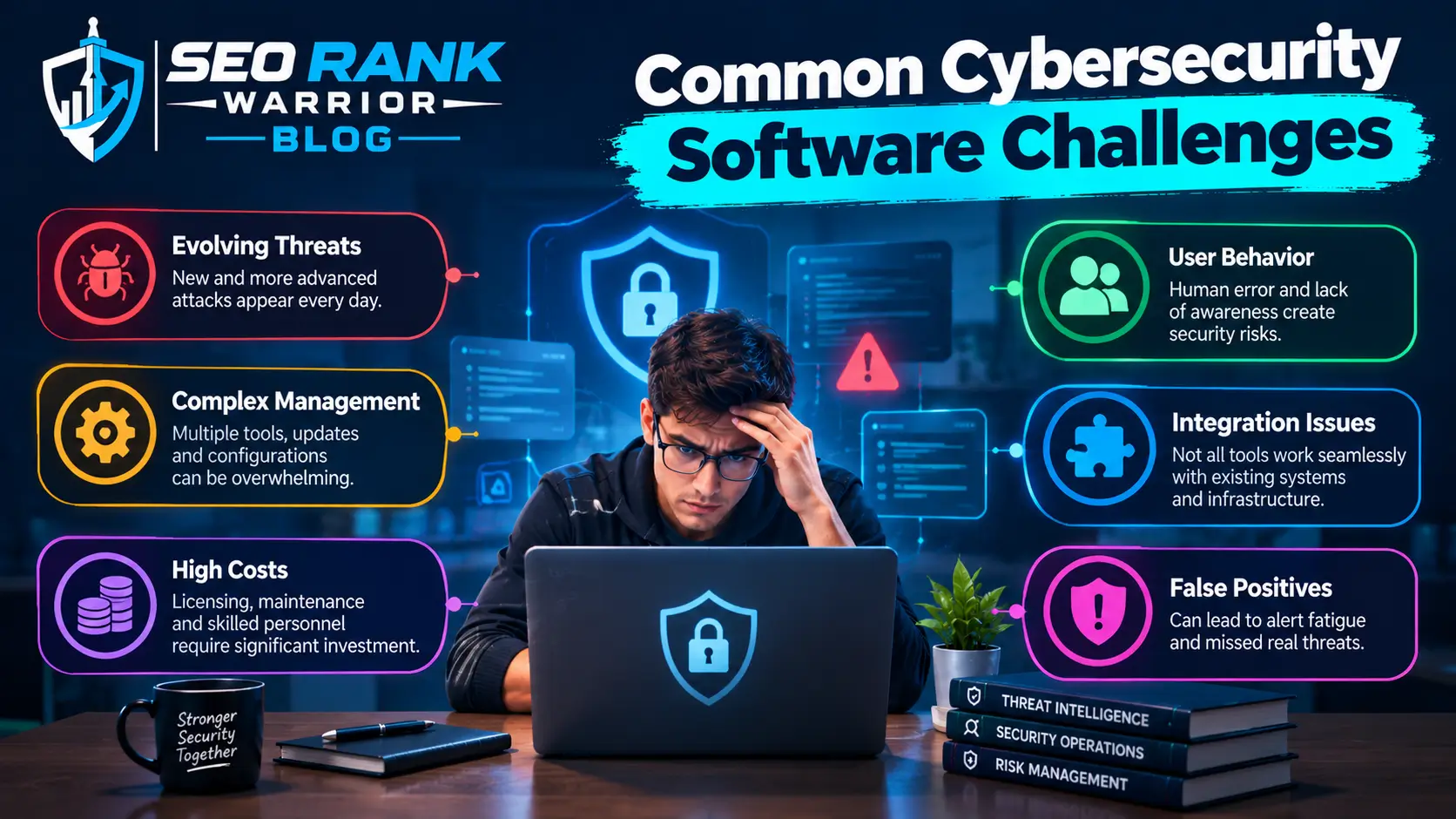
Security software can significantly improve protection, but it does not eliminate every security problem.
Too Many Security Tools
Organizations sometimes purchase numerous products without a clear architecture.
This can result in overlapping functionality and unnecessary complexity.
False Positives
Security tools can generate alerts for legitimate activity.
Security teams need effective tuning and prioritization to distinguish genuine threats from normal behavior.
Integration Problems
Different security platforms may not share information effectively.
Poor integration can create visibility gaps and additional manual work.
Management Overhead
Advanced platforms require configuration, monitoring, updates, and maintenance.
Organizations should consider whether they have the people and expertise required to operate the software effectively.
Misconfiguration
Even good security software can provide weak protection when it is configured incorrectly.
Regular reviews and testing are therefore important.
Outdated Software
Security software itself needs to remain updated.
Organizations should maintain current versions, security patches, threat intelligence, and appropriate configurations.
Best Practices for Using Cybersecurity Software
Buying security software is only the beginning. Organizations should also establish processes for using it effectively.
Keep Security Software Updated
Regular updates can provide security fixes, improved detection, and new functionality.
Use Least Privilege
Users and administrators should receive only the access required for their responsibilities.
Enable Multi-Factor Authentication
Where supported, MFA can provide an additional security layer when passwords are compromised.
Review Alerts Regularly
Security teams should monitor alerts and investigate high-risk events rather than allowing notifications to accumulate.
Monitor Logs
Logs can provide valuable evidence during investigations.
Centralized logging can make it easier to identify patterns across systems.
Scan for Vulnerabilities
Regular vulnerability assessments can help organizations identify weaknesses before attackers exploit them.
Test Incident Response
Organizations should know what they will do when security software identifies a genuine attack.
Testing response procedures can expose gaps before a real incident occurs.
Train Users
Technology cannot eliminate all human risk. Employees should understand phishing, password security, social engineering, suspicious downloads, and safe handling of sensitive information.
FAQs – Cybersecurity Software
What is cybersecurity software?
Cybersecurity software is a broad category of applications and platforms designed to protect systems, networks, devices, identities, applications, and data from cyber threats.
What are the main types of cybersecurity software?
Major categories include antivirus, endpoint security, firewalls, network security, SIEM, vulnerability management, IAM, encryption, email security, cloud security, and data protection solutions.
What is cybersecurity software used for?
It is used to prevent threats, detect suspicious activity, protect data and devices, control access, monitor systems, identify vulnerabilities, support incident response, and improve an organization’s overall security posture.
Is antivirus software the same as cybersecurity software?
No. Antivirus is one type of cybersecurity software. Cybersecurity software is a much broader category that includes technologies for endpoint, network, identity, cloud, data, email, and security-event protection.
How do I choose the right cybersecurity software?
Start by identifying what you need to protect, your organization’s size, existing technology, security risks, compliance requirements, budget, integration requirements, and available security expertise. Choose software that addresses your highest-priority risks without creating unnecessary complexity.
Conclusion
Cybersecurity software is a broad category covering the technologies organizations and individuals use to protect devices, networks, identities, applications, and data.
There is no single security product that can address every threat. Antivirus and endpoint protection can help secure devices, firewalls can control network traffic, IAM can protect identities, vulnerability-management platforms can identify weaknesses, and SIEM systems can provide centralized security monitoring.
The best approach is to build a security strategy around actual risks rather than simply purchasing as many tools as possible. Organizations should consider their infrastructure, users, sensitive data, cloud environment, compliance requirements, and available security expertise before selecting software.
As cyber threats continue to evolve, cybersecurity software will remain an important part of defensive security. But its effectiveness ultimately depends on proper configuration, regular updates, skilled security teams, and well-designed security processes.