The best AI note taking app depends on what you actually need it to do. Some apps are built to record meetings and turn conversations into transcripts, summaries, and action items. Others focus on research, personal knowledge, documents, or organizing the notes you already create.
That distinction matters because an AI meeting assistant and an AI-powered knowledge tool solve different problems. A meeting-focused app may listen to a call and automatically create structured notes, while a research-focused tool may help you understand documents and find information across your sources. Modern AI note-taking tools can therefore save time, but the right choice depends on your workflow, devices, privacy requirements, and the type of information you need to capture.
What Is an AI Note-Taking App?
An AI note-taking app combines traditional note-taking with artificial intelligence. Depending on the application, AI may transcribe spoken conversations, summarize long recordings, identify action items, organize information, answer questions about your notes, or turn unstructured information into a more useful format.
The category has expanded beyond simple digital notebooks. Current AI note-taking tools generally fall into several groups: meeting note-takers, personal knowledge tools, research assistants, and AI-enhanced productivity apps. Some products overlap multiple categories, but they are not interchangeable.
For example, Notion’s AI Meeting Notes can transcribe meetings, generate summaries and action items, and keep those notes inside the user’s workspace.
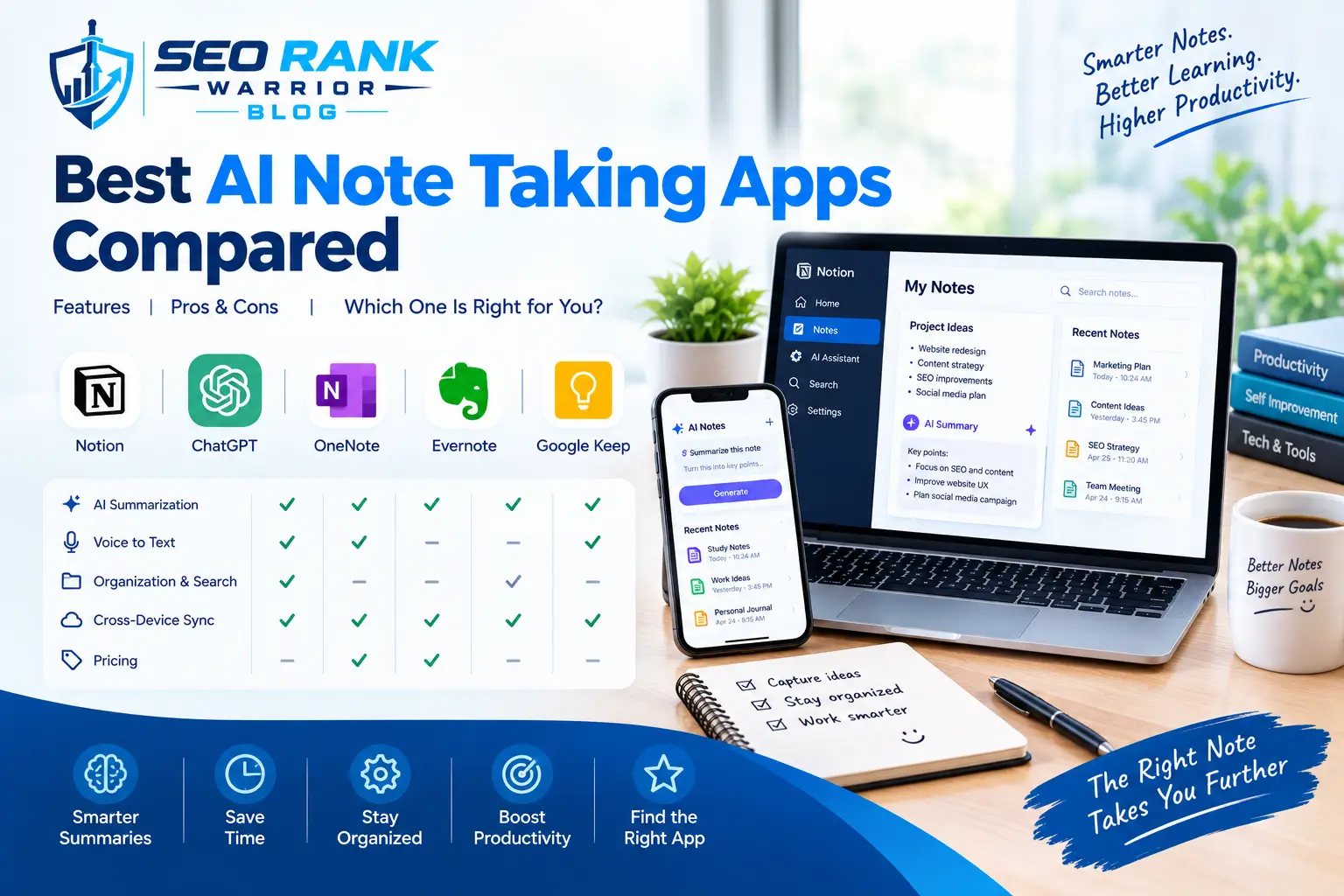
Best AI Note Taking Apps Compared
| App | Best For | Key AI Capabilities | Transcription | Free Option |
| Notion | Teams and connected workspaces | Meeting summaries, action items, AI search | Yes | Limited/free options vary |
| Otter.ai | Meetings, lectures and interviews | Live transcription, summaries, speaker identification | Yes | Yes |
| Fireflies.ai | Team meetings and sales workflows | Transcription, summaries, action items, integrations | Yes | Yes |
| Granola | Meeting notes without a visible meeting bot | AI-generated notes and meeting context | Yes | Yes |
| NotebookLM | Research and source-based information | Source analysis, summaries, question answering | Source-dependent | Yes |
| Fathom | Video meetings | Transcription, summaries, and meeting insights | Yes | Free option available |
| Mem | Personal knowledge management | AI organization and retrieval | Depends on workflow | Limited/free options |
Features, plans, and pricing can change, so verify current details with the developer before purchasing.
What Can an AI Note-Taking App Actually Do?
AI note-taking has become more useful because it can handle several parts of the note-taking process instead of simply storing text.
Automatic Transcription
Transcription converts spoken conversations into written text. This can be particularly useful for meetings, interviews, lectures, research conversations, and customer calls.
Instead of trying to write down every sentence, you can focus on the discussion and review the transcript afterward. However, transcription quality can vary depending on background noise, accents, microphones, overlapping speech, and technical terminology.
AI-Generated Summaries
A long transcript is not always useful on its own. AI can condense a conversation into a shorter summary containing important topics, decisions, and discussion points.
This is one of the main reasons businesses use AI note-taking tools. Rather than reading an entire transcript, someone who missed a meeting can often start with the generated summary and then review the transcript when more detail is needed.
Action Items
Some AI tools can identify tasks and follow-up points from conversations.
For example, if a team agrees that a website needs a technical audit before Friday, an AI system may identify that as an action item. This can make meeting notes more practical because the output becomes more than a record of what people said.
Speaker Identification
For meetings involving several people, identifying speakers can make transcripts easier to understand. Speaker labeling is not equally reliable across every product or meeting setup, so it should be treated as a feature to verify rather than an automatic guarantee.
AI Search
Some tools allow users to search their notes or transcripts using natural language. Instead of remembering the exact phrase used in a meeting, you might search for a concept such as:
“What deadline did we agree on for the website launch?”
This can make large collections of notes more useful over time.
Follow-Up Content
Some AI-powered tools can help turn meeting information into follow-up material, such as summaries, task lists, emails, or structured notes.
The important point is that AI should assist the workflow rather than replace human review. Important decisions, names, dates, financial details, and responsibilities should still be checked.
Best AI Note Taking App by Use Case
There is no single tool that fits every note-taking workflow. A better approach is to match the software to the type of information you regularly handle.
Best for Meetings
Meeting-focused AI note-takers are designed around recording, transcription, summaries, and action items.
Tools such as Otter.ai, Fireflies.ai, Fathom, and Granola are commonly positioned around meeting workflows. Current 2026 comparisons also distinguish between tools that capture meetings and tools designed primarily for personal knowledge or research.
If your main problem is keeping up with frequent meetings, look for:
- Reliable transcription
- Speaker identification
- Automatic summaries
- Action-item extraction
- Searchable transcripts
- Calendar or meeting integrations
- Easy sharing
Best for Students
Students may need something different from a business meeting assistant.
A useful AI note-taking app for students should help with lectures, research, summaries, and reviewing information later. Transcription can be useful during lectures, while AI summaries can help turn long material into revision notes.
Students should also pay attention to export options and accuracy. An AI-generated summary should support studying rather than become the only source of information.
Best for Research
Research involves more than recording conversations. You may need to work with PDFs, documents, web sources, interviews, or multiple reference materials.
NotebookLM, for example, is designed around working with supplied sources and asking questions about them. Current comparisons place it more in the research and document-synthesis category than in the traditional meeting-transcription category.
For research, prioritize:
- Source handling
- Search
- Document analysis
- Citations or source references
- Organization
- Export
- Information retrieval
Best for Teams
Teams need more than personal notes. Shared access, permissions, integrations, and task follow-up can become important.
Notion is particularly relevant for teams that already use its workspace because its AI Meeting Notes can connect meeting information with the wider Notion environment. Its current documentation says AI Meeting Notes can create summaries, identify action items, and work with calendar-linked meetings.
Best for Personal Knowledge
Personal knowledge management is another category within AI note-taking.
Here, the goal may not be recording meetings at all. Instead, you might want to store ideas, research notes, documents, personal observations, and information that you want to retrieve later.
For this type of workflow, look beyond transcription. Search, organization, linking, AI-assisted retrieval, and data portability may matter more.
AI Meeting Note-Takers: Bot vs Bot-Free
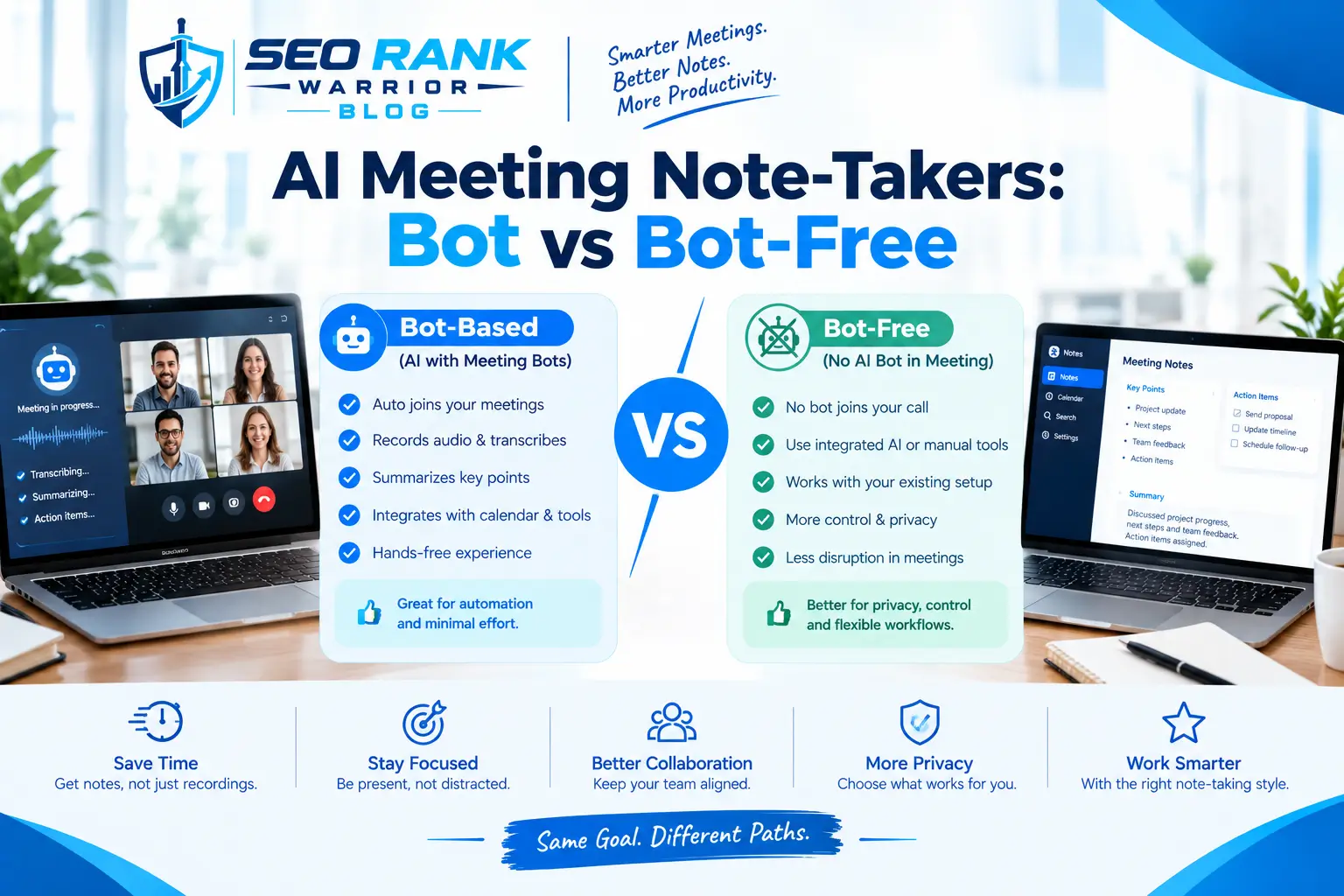
One important difference between AI meeting tools is how they capture conversations.
Some applications join online meetings as a visible participant or meeting bot. This approach can make automatic recording and transcription straightforward, particularly for scheduled online meetings.
Other products use desktop or device-level audio capture instead of sending a visible bot into the meeting. Granola is one example frequently discussed in current 2026 comparisons for this type of workflow.
Neither approach is automatically better for every user.
A meeting bot may work well for teams that want centralized meeting records and integrations. A bot-free approach may be preferable when users want a less noticeable meeting workflow.
However, bot-free does not automatically mean private or secure. Always check how audio is processed, where data is stored, and what permissions the software requires.
How Accurate Are AI Note-Taking Apps?
AI note-taking can save significant manual effort, but accuracy is not guaranteed.
Several factors can affect transcription and summaries:
- Background noise
- Poor microphones
- Multiple people speaking at once
- Accents
- Unusual names
- Technical terminology
- Poor recording quality
- Short or incomplete conversations
A transcript can also be technically accurate while an AI summary misses an important detail.
For this reason, review AI-generated notes before using them as the official record of an important meeting. Pay particular attention to names, numbers, deadlines, responsibilities, contracts, financial information, and decisions.
The goal should be faster note preparation with human verification, not completely removing humans from the process.
Privacy and Security Considerations
Privacy should be one of the first things you investigate before choosing an AI note-taking application.
A tool that records meetings or lectures may process sensitive conversations, so ask:
- Where is the audio stored?
- Is audio uploaded to cloud servers?
- How long is information retained?
- Is user data used to train AI models?
- Can recordings be deleted?
- Can notes be exported?
- Who can access shared transcripts?
- What permissions does the app require?
For example, Notion’s current documentation explains that its AI Meeting Notes system uses subprocessors to process meeting audio and generate transcriptions and insights. It also describes how audio is temporarily handled during processing and recommends obtaining participant consent before recording and transcribing meetings.
Privacy requirements can be especially important for businesses, healthcare-related discussions, legal work, customer information, or confidential internal meetings.
Always check the current privacy policy and product documentation rather than assuming that every AI note-taking app handles data in the same way.
Free vs Paid AI Note-Taking Apps
Many AI note-taking products provide some form of free access, but the limits can differ substantially.
A free plan may restrict:
- Monthly transcription minutes
- Number of recordings
- AI queries
- Storage
- Export formats
- Advanced AI features
- Team collaboration
- Integrations
Before paying, determine how often you actually need the tool.
If you only have a few meetings each month, a free plan may be sufficient. Someone attending multiple meetings every day may quickly reach usage limits and need a paid plan.
Do not choose a tool based only on the advertised number of features. The important question is whether those features fit your actual workflow.
How to Choose the Best AI Note Taking App
Before choosing an app, work through these questions.
1. What Do You Need to Capture?
Do you mainly need meetings, lectures, interviews, research documents, or personal ideas?
Start with the source of your information.
2. Do You Need Transcription?
If you rarely record audio, paying for advanced transcription may not make sense.
If you spend hours in meetings or interviews, transcription may be one of the most valuable features.
3. Do You Need AI Summaries?
A transcript alone can still require significant reading. If your goal is to save review time, look closely at how the tool creates summaries and action items.
4. Where Do You Work?
Check whether the application supports your devices.
Look for compatibility with:
- Windows
- Mac
- iPhone
- iPad
- Android
- Web browsers
Cross-platform access can matter if you regularly switch between devices.
5. Does It Integrate With Your Existing Tools?
Consider whether the app connects with the software you already use, such as calendars, communication platforms, project-management systems, CRM software, or your existing knowledge base.
6. How Does It Handle Your Data?
Review privacy, retention, permissions, export options, and AI-processing practices before recording confidential conversations.
7. Can You Export Your Notes?
Your notes are valuable information. Look for reasonable export options so you are not completely dependent on one platform.
AI Note-Taking vs Traditional Note-Taking
Traditional note-taking requires you to actively capture information as it happens.
AI-assisted note-taking can automate some of that work.
| Traditional Note-Taking | AI-Assisted Note-Taking |
| Manual writing | Automatic transcription may be available |
| Manual summaries | AI can generate summaries |
| Manual action items | AI can identify possible tasks |
| Manual searching | Transcripts can become searchable |
| Active capture | AI can capture information while you focus |
This does not mean AI should replace traditional note-taking completely.
For important meetings, a practical workflow may be to let AI capture the conversation, review the generated summary, correct errors, and add your own conclusions afterward.
Common Problems With AI Note-Taking Apps
AI note-taking tools are useful, but they also have limitations.
Inaccurate Transcription
Speech can be misunderstood, especially when several people speak at once.
Weak Summaries
An AI summary can leave out context that seemed unimportant to the model.
Privacy Concerns
Recorded conversations may contain confidential information, making data handling an important consideration.
Subscription Limits
Free plans may be too restrictive for frequent users.
Platform Restrictions
Some applications work better on certain devices or meeting platforms.
Over-Reliance on AI
AI-generated notes should not automatically be treated as an authoritative record.
The best workflow is usually to use AI for capture and organization, then apply human judgment to the final information.
Are AI Note-Taking Apps Worth It?
AI note-taking apps can be useful when you regularly deal with large amounts of spoken or written information.
They can make particular sense for:
- Frequent meetings
- Lectures
- Interviews
- Research
- Client calls
- Team discussions
- Information-heavy workflows
They may be less useful if you only need a simple checklist, occasional reminder, or a few short personal notes.
The value comes from solving a specific problem. If an AI tool saves you from manually transcribing a one-hour meeting, extracts the action items, and makes the conversation searchable afterward, its usefulness is easy to understand. If you only write three short notes a day, a simple note-taking app may be enough.
FAQs – Best AI Note Taking App
What is the best AI note taking app?
There is no single app that fits every workflow. Meeting-focused users may prioritize transcription and summaries, while researchers may need document analysis and source-based search. The right choice depends on the type of information you need to capture.
Is there a free AI note-taking app?
Yes. Several AI note-taking products offer free plans or free access with usage restrictions. Limits can apply to transcription, storage, AI features, or the number of recordings, so check the current plan before relying on a free tier.
What is the best AI app for meeting notes?
The answer depends on the meeting workflow. Look for accurate transcription, summaries, action items, speaker identification, integrations, and easy access to previous meetings.
Can AI note-taking apps record and summarize meetings?
Many can. Depending on the product, an AI note-taking app may record or receive audio, create a transcript, summarize the conversation, identify key points, and extract action items. Features differ between products and plans.
Are AI note-taking apps accurate?
They can be useful but are not perfect. Noise, accents, overlapping speech, technical terms, and recording quality can affect transcription and summary accuracy. Important information should always be reviewed.
Conclusion
The best AI note taking app is ultimately the one that matches the way you capture and use information. Meeting-heavy users may need transcription, summaries, and action items, while students and researchers may care more about document analysis, search, and knowledge organization. Before choosing a tool, compare its AI features, platform support, privacy practices, free-plan limits, integrations, and export options. Most importantly, treat AI-generated notes as a helpful starting point rather than a replacement for human review.